How to Install and Use OpenStack's CLI
OpenStackClient manages your cloud from the command line.
Install OpenStackClient
These steps install OpenStackClient on your local machine running Ubuntu 24.04. Other operating systems differ mainly in how the Python virtual environment is created.
Ubuntu 24.04 marks its system Python as externally managed, so pip cannot install into it. Install into a virtual environment instead.
Step 1 -- Install the venv module
sudo apt update
sudo apt install python3-venv
Step 2 -- Create and activate a virtual environment
python3 -m venv ~/openstack-cli
source ~/openstack-cli/bin/activate
The shell prompt is prefixed with (openstack-cli) while the environment is active. Re-run the source command in each new shell.
Step 3 -- Install OpenStackClient
pip install --upgrade pip
pip install python-openstackclient
Confirm the install:
$ openstack --version
openstack 10.4.0
Authenticate
The OpenRC file sets the environment variables that authenticate you. It is scoped to the user and project you are signed in to.
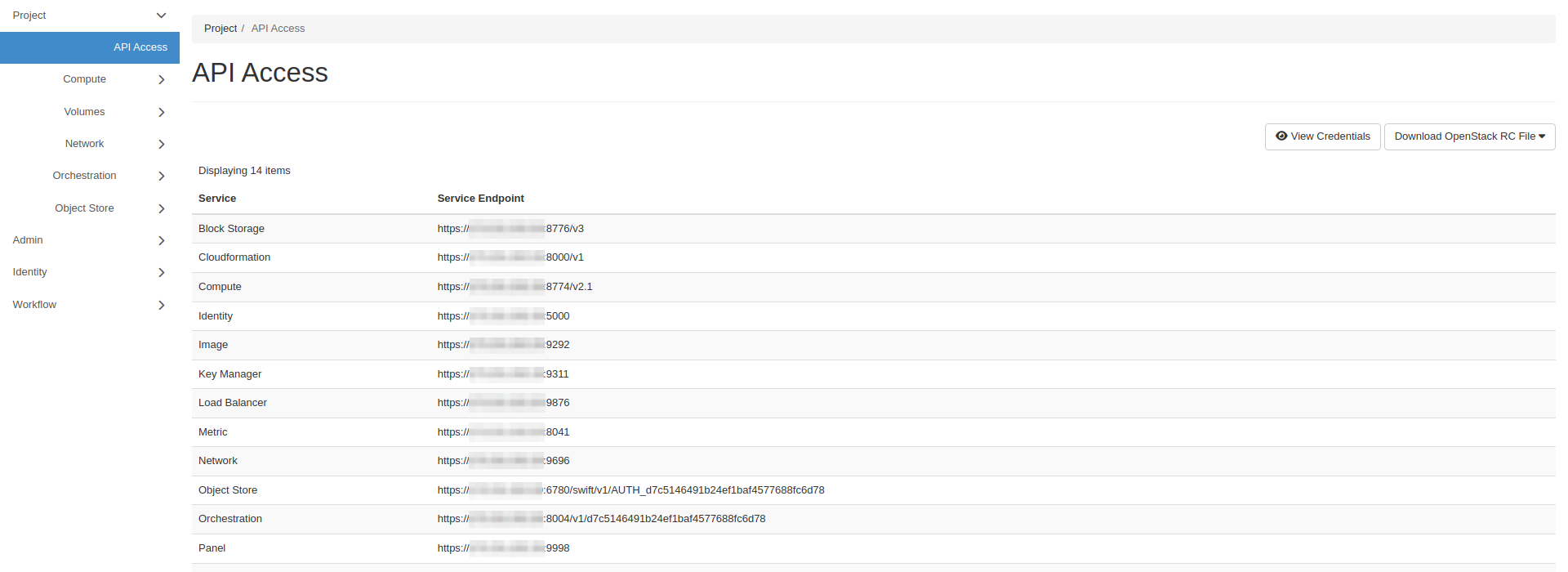
- Horizon
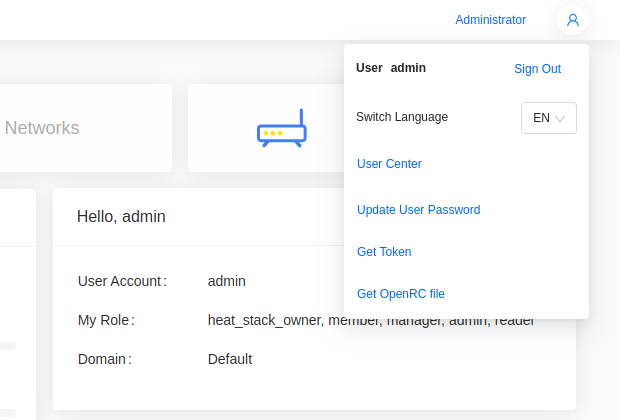
- Skyline
Go to Project -> API Access and click Download OpenStack RC File.
Open the user menu in the top right and choose Get OpenRC file.
Clouds use a self-signed certificate by default. Copy its CA certificate from a control plane node:
scp root@<control-plane-node>:/etc/kolla/certificates/ca/root.crt ~/openstack-ca.crt
Add this line to the OpenRC file:
export OS_CACERT=$HOME/openstack-ca.crt
Without it, commands fail with SSL: CERTIFICATE_VERIFY_FAILED. To pass the certificate for a single command instead, use --os-cacert ~/openstack-ca.crt.
Source the file you downloaded and enter your password when prompted:
$ source ~/Development-openrc.sh
Please enter your OpenStack Password for project Development as user dev-user:
The filename is based on the project it is scoped to.
Source it again in each new shell, after activating the virtual environment.
Run a command
List the instances in your project:
$ openstack server list
+--------------------------------------+-------------+--------+----------------------------------------+--------------------------+----------+
| ID                                   | Name        | Status | Networks                               | Image                    | Flavor   |
+--------------------------------------+-------------+--------+----------------------------------------+--------------------------+----------+
| 3bb6f079-90d3-4233-9400-94ef49c34a34 | Jumpstation | ACTIVE | Private=10.0.0.202, 192.168.0.200      | N/A (booted from volume) | m1.small |
+--------------------------------------+-------------+--------+----------------------------------------+--------------------------+----------+
On a live cloud, the instance's floating IP is a public address.
--insecure and OS_INSECURE=true turn off certificate verification. Use them only as a temporary workaround until OS_CACERT is set.
Switch project
An OpenRC file is scoped to one project. To use another, copy the file and set the new project's name and ID:
export OS_PROJECT_ID=<project-id>
export OS_PROJECT_NAME=<project>
OS_PROJECT_ID takes precedence over OS_PROJECT_NAME, so changing only the name leaves you in the original project.
Source the copy, then confirm which project the token is scoped to:
$ openstack token issue -c project_id -f value
5b1e8f3c9d2a4e7f8a6b0c1d2e3f4a5b
Command structure
Commands follow the pattern openstack <object> <action>. Run openstack alone to enter an interactive shell where the prefix is dropped:
$ openstack
(openstack)
List every subcommand:
openstack --help
Show the usage for one of them:
openstack help server
Listing and showing follow a consistent form. openstack server list lists the project's instances, and openstack server show Jumpstation shows the details of one.
Enable Bash autocompletion
Autocompletion is not enabled by default. Write the completion script and reload your shell:
openstack complete | sudo tee /etc/bash_completion.d/osc.bash_completion > /dev/null
source /etc/bash_completion.d/osc.bash_completion
Ubuntu installs the required bash-completion package by default. If completion does not work, install it:
sudo apt install bash-completion