Accessing Skyline
Skyline is deployed on every PCC v4 cloud alongside Horizon. Horizon is the default, so the dashboard link in OpenMetal Central opens Horizon unless you change it.
Skyline is reachable directly:
https://<VIP>
<VIP> is your cloud's hostname or IP, the same address used for the OpenStack public APIs. Horizon sits on port 9999 of that address.
Log in with the same credentials as Horizon. Skyline additionally asks for the region.
Make Skyline the dashboard link
Open Settings for your cloud in OpenMetal Central. Under Cloud Configuration -> OpenStack Dashboard, choose Skyline.
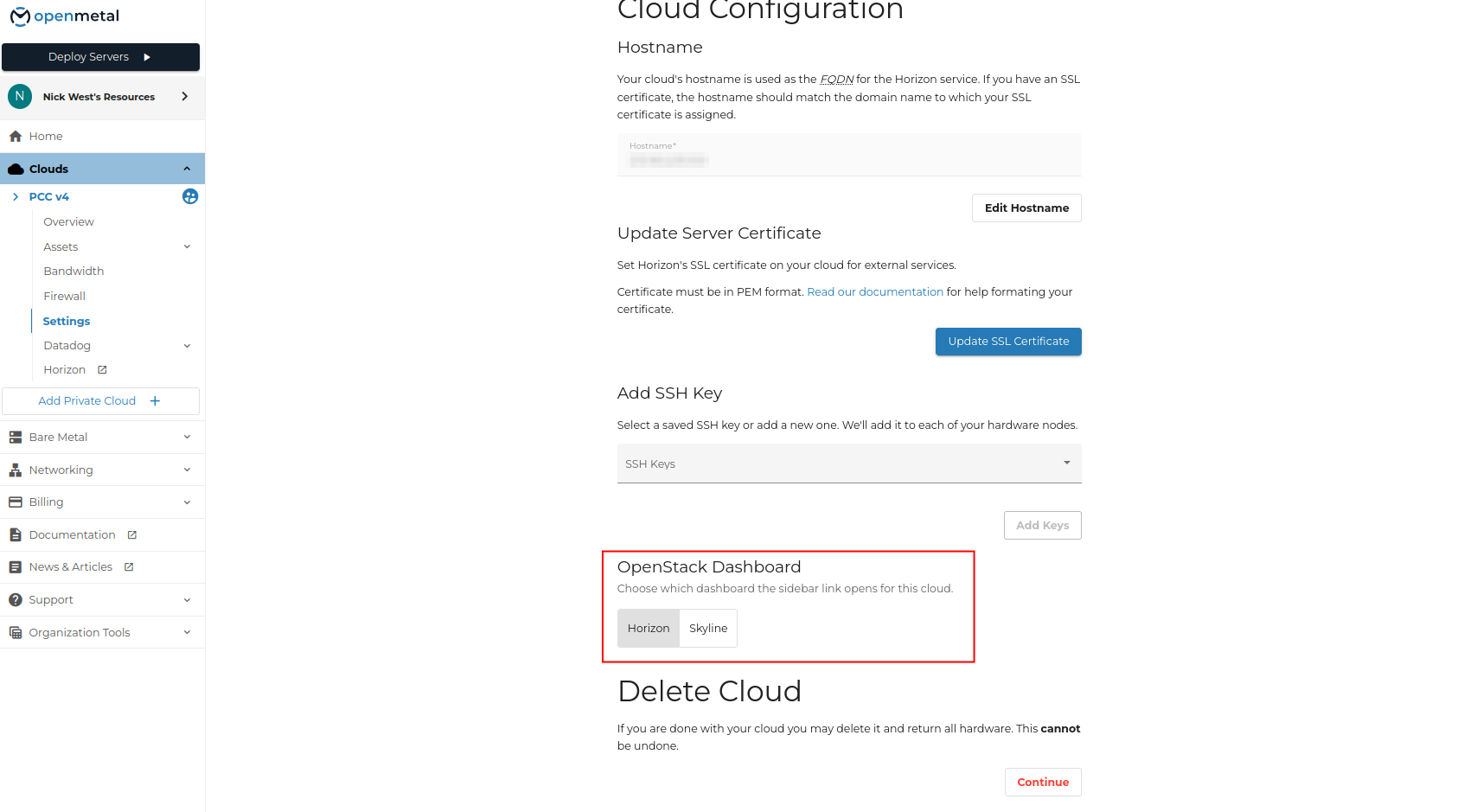
The sidebar link and the Launch button on the cloud's Overview page then open Skyline.
Switching the selector does not stop Horizon. Both dashboards keep running and both stay reachable at their own URLs.
Which to use
Both talk to the same OpenStack APIs, so a change made in one appears in the other.
Skyline is the newer dashboard and the one upstream OpenStack is investing in. Horizon still exposes a few things Skyline does not, including application credentials and the clouds.yaml download under Project -> API Access.