Manage the Node Firewall
PCC v4 deploys a host firewall to every node. It is built from ufw and ipset by the firewall-ansible playbook and is applied by default. There is nothing to install.
Default policy
| Interface | Policy |
|---|---|
| External, internet-facing | Deny inbound. SSH on port 22 is open and rate-limited. |
Management, bond0.8 | Deny inbound. The first four usable addresses of its subnet are whitelisted. |
| All other VLANs | Allow all traffic. |
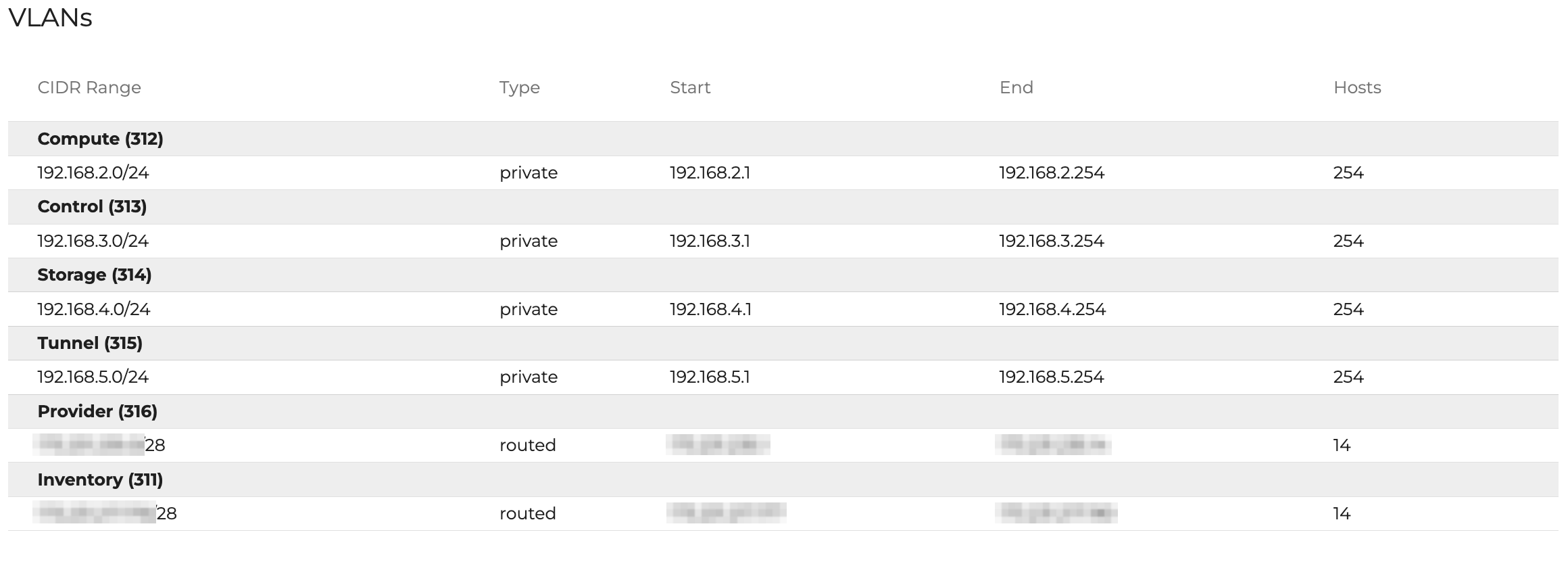
Control, storage, tunnel, compute, and any cross-cluster link to a sibling PCC cluster fall under "all other VLANs". There is no restricted middle tier. An interface is either external or fully trusted.
IPv6 is disabled in ufw. Logging is set to low.
Whitelists
Two ipsets hold the addresses allowed past the default deny policy.
| Set | Contents | Managed from |
|---|---|---|
customer_whitelist | Subnets you trust | Central's Firewall UI |
omi_whitelist | OpenMetal VPN endpoints, pod ranges, and the pod management hosts | OpenMetal |
An entry in either set gets unrestricted access to every port and protocol on the node, not only the ports ufw opens. Treat a whitelist entry as a fully trusted host.
Add your own addresses under Clouds -> your cloud -> Firewall in OpenMetal Central. Enter an IPv4 address or CIDR block, click Add, then Apply changes. The page also lists the rules OpenMetal manages, which you cannot edit.
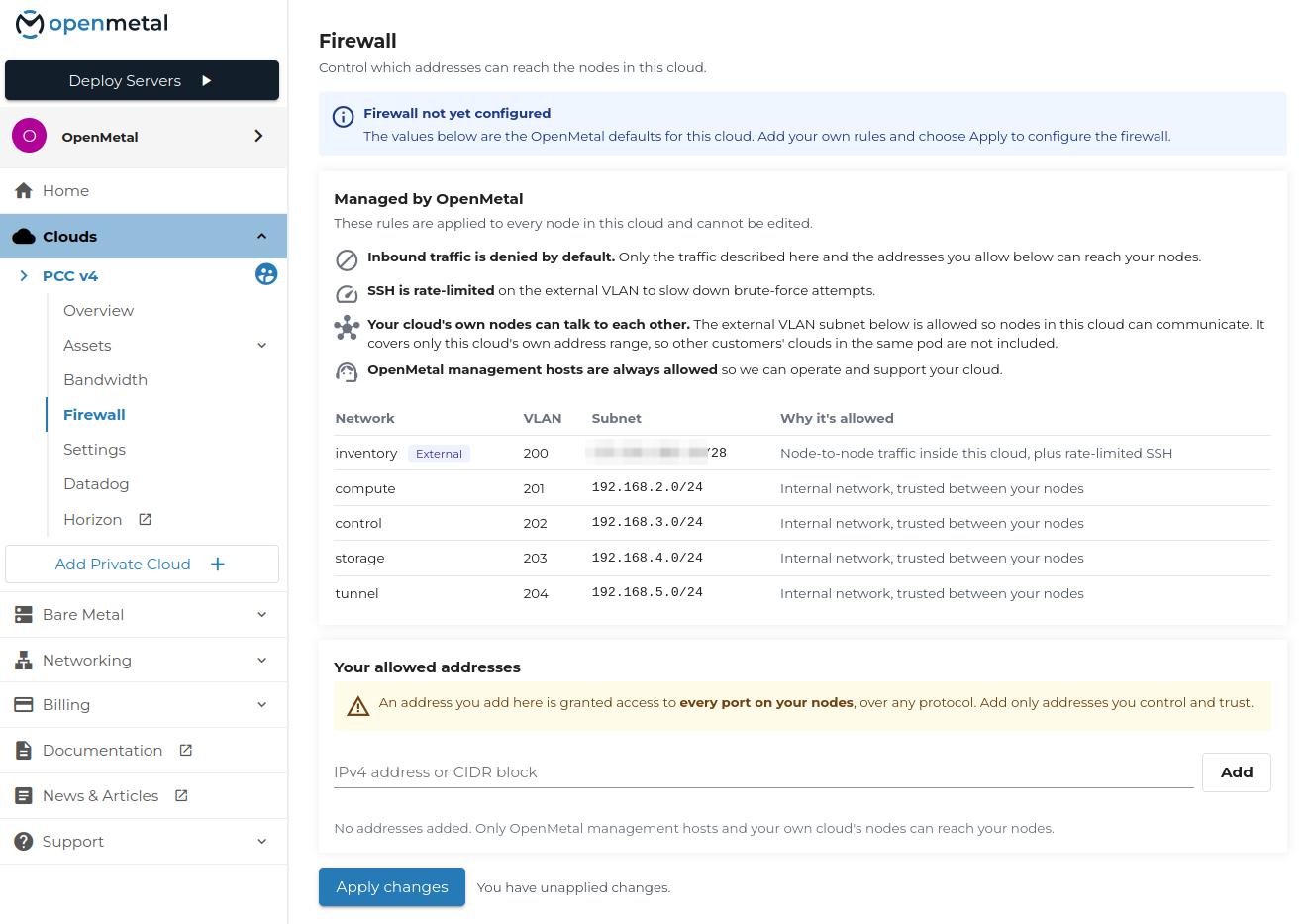
omi_whitelist is managed by OpenMetal and is not editable from Central.
Inspect the firewall
ufw status verbose
ipset list omi_whitelist
ipset list customer_whitelist
Persistence
Do not change the firewall on the node. Manual ipset add and ipset del take effect immediately and are lost the next time OpenMetal's deployment automation runs or the node boots. Both sets are rebuilt from their managed source:
- Ansible re-renders them under
/etc/firewall-ansible/on every run. - The
firewall-ansible-ipsets.servicesystemd unit restores them at boot, beforeufwstarts.
Changes that need to survive go through Central, or through our team for anything Central does not expose yet.
Open an additional port
Opening a port beyond SSH is not self-service yet. Submit a support ticket with the port, the protocol, and which addresses should reach it, and our team applies the rule for you.
This is coming to Central.