



























In this article
This article covers what 96GB VRAM actually unlocks for LLM inference and fine-tuning, how the cost structure of cloud GPU rental compares to dedicated hardware at real utilization, and where OpenMetal’s NVIDIA RTX PRO 6000 servers fit in the private AI infrastructure picture.
VRAM is the hard constraint in LLM deployment. No matter how fast the interconnect or how many CPU cores you have, if your model weights don’t fit in GPU memory, you’re either quantizing aggressively, splitting across multiple GPUs, or offloading to CPU, all of which cost you either quality, throughput, or complexity.
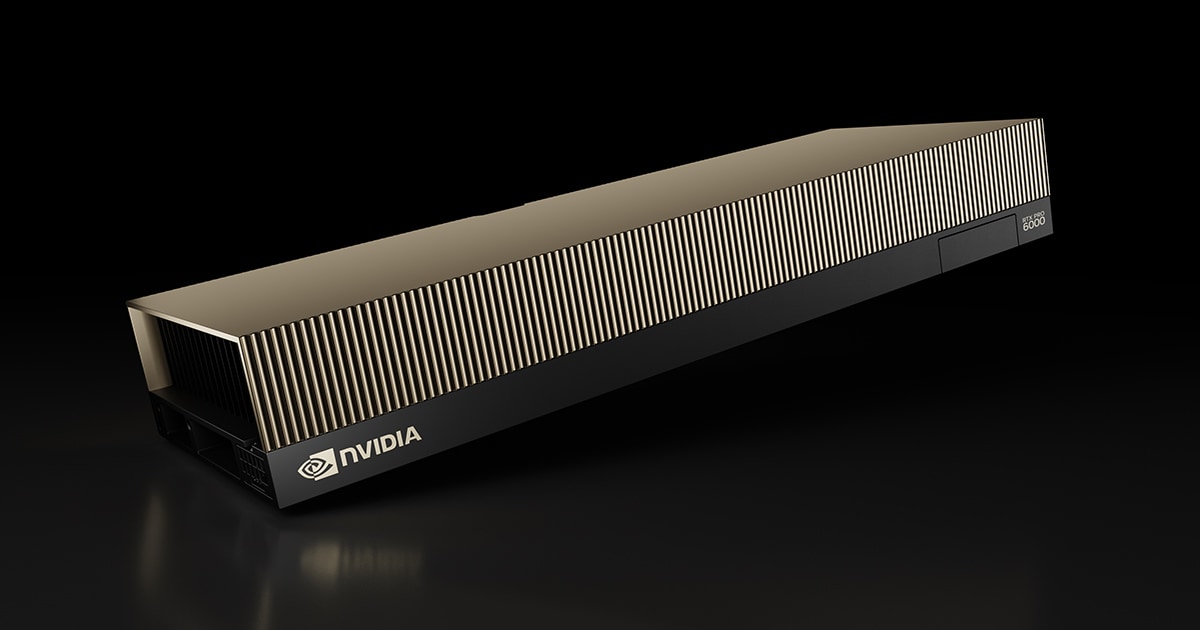
The RTX PRO 6000 Blackwell’s 96GB of GDDR7 is the first workstation-class GPU that meaningfully moves this ceiling. OpenMetal’s RTX PRO 6000 server line puts that GPU on dedicated bare metal infrastructure alongside a 128-core Xeon platform. This article explains what 96GB unlocks that 80GB can’t, when dedicated private infrastructure makes better economic sense than rented cloud GPUs, and where the tradeoffs are honest.
VRAM Is the Hard Ceiling
Every decision in LLM inference (model size, quantization level, batch size, context window length) is constrained by available GPU memory. Model weights consume the largest share. After that, the KV cache (which stores attention states for active inference requests) competes for what’s left.
Hugging Face’s official LLM optimization documentation establishes the practical rule of thumb: loading a model with X billion parameters requires approximately 2×X GB of VRAM at float16/bfloat16 precision. A 70B parameter model therefore requires approximately 140GB of VRAM at FP16. FP8 halves the memory footprint per parameter, bringing a 70B model to approximately 70GB of VRAM for weights alone.
On an 80GB GPU, a 70B model at FP8 occupies most of available memory and leaves limited headroom for KV cache, which directly constrains concurrent user capacity. On a 96GB GPU running the same 70B FP8 model, approximately 26GB remains for KV cache. That headroom roughly doubles the concurrency ceiling on a single card before you need to think about multi-GPU tensor parallelism.
At Q4 quantization, a 70B model compresses further and fits on 80GB hardware with more room to spare. But Q4 introduces a quality tradeoff. For reasoning-intensive workloads and knowledge-recall tasks, the precision loss is perceptible. If you’re running a production inference endpoint where output quality matters, the additional VRAM headroom on 96GB gives you a cleaner path to FP8 inference without the quantization compromise.
The same logic applies to fine-tuning. Fine-tuning requires substantially more VRAM than inference because of the memory overhead from gradients and optimizer states on top of model weights. The exact requirements vary significantly by method: QLoRA reduces this overhead substantially by quantizing the frozen base model and training only the low-rank adapter layers at higher precision, while full parameter fine-tuning accumulates gradients and optimizer states across all parameters. In either case, more VRAM gives you more options. 96GB is where single-GPU fine-tuning of meaningful model sizes becomes practical without resorting to aggressive memory-reduction techniques that add complexity or slow training.
What Models Actually Fit at 96GB
NVIDIA’s RTX PRO 6000 Server Edition is designed for LLM inference and fine-tuning workloads. CoreWeave’s official documentation for RTX PRO 6000 deployments describes the card as suited for “inference and fine-tuning of mid-sized models up to 70B.”
Using the Hugging Face weight-sizing rule, here is where 96GB sits for current production models at FP8 precision: a 70B model fits on a single card with approximately 26GB remaining for KV cache. Models with MoE architectures (such as Llama 4 Scout, listed as 109B total parameters with 17B active) require VRAM for all expert weights regardless of active parameter count. At Q4 quantization, Llama 4 Scout fits on a single 96GB card, though very long context windows consume most of the remaining headroom.
For models above 70B at FP8, or any model at FP16 above 48B, you exceed 96GB and require either a second GPU, ZeRO offloading to CPU memory, or further quantization. That’s the hard physics of the memory budget, not a hardware limitation specific to this card.
The two-GPU RTX PRO 6000 configuration (192GB total VRAM) handles 70B inference at FP16 without quantization and expands the practical range for fine-tuning to larger model sizes.
The Cost Structure of Cloud GPU Rental
The on-demand GPU cloud market has changed considerably over the past two years, and pricing continues to shift as supply expands and newer GPU generations arrive. For that reason, we won’t quote specific per-hour rates that will be stale before this article is read in six months. What doesn’t change is the structural difference between the two billing models.
Cloud GPU rental charges you per unit of time your GPU is allocated. When you’re running inference, you’re paying. When you’re idle at 3am, you’re paying. When a traffic spike hits and latency matters, your cost and your demand are coupled. For variable or experimental workloads, this flexibility is genuinely valuable. For sustained production inference endpoints that run most hours of the day, the per-hour model means your infrastructure cost scales with your uptime rather than your hardware capacity.
Dedicated hardware flips that relationship. You pay a fixed monthly rate for the server regardless of utilization. An inference endpoint that runs at 80% utilization and one that runs at 40% cost the same. The economics favor teams with consistently high utilization. They work against teams with variable, bursty, or experimental workloads where cloud flexibility is worth the premium.
The second structural difference is what you’re actually getting. A GPU rental gives you access to the GPU (and usually a proportional share of the accompanying CPU and RAM). A dedicated RTX PRO 6000 server gives you the full platform: the 96GB RTX PRO 6000, a 128-core dual Xeon 6530P, 1TB DDR5-6400, up to 24 NVMe bays, and 20 Gbps of private networking. For teams running inference as one part of a broader private infrastructure stack, having the GPU workload on the same fabric as the rest of the environment simplifies the architecture considerably.
What the RTX PRO 6000 Server Includes
The RTX PRO 6000 is built on OpenMetal’s v5 platform, using the same Intel Xeon 6530P dual-socket foundation as the XL v5 compute server. The full configuration:
- 1x NVIDIA RTX PRO 6000 (96GB GDDR7, 1.79 TB/s memory bandwidth, 24,064 CUDA cores per GPU)
- 2x Intel Xeon 6530P (64 cores / 128 threads total)
- 1TB DDR5-6400 (up to 2TB)
- Up to 24x NVMe drives using Micron 7500 MAX
- 20 Gbps private network / 10 Gbps public network
The 128-core CPU matters for inference workloads. Modern serving frameworks like vLLM and SGLang use the CPU for tokenization, request scheduling, and pre/post-processing. Bottlenecking on CPU while the GPU waits is a real production issue. 128 cores running at DDR5-6400 speeds keeps the CPU pipeline ahead of the GPU in those steps.
The 20 Gbps private network is relevant for multi-node inference clusters, where inter-node communication for tensor parallelism requires fast interconnects. For teams scaling beyond a single RTX PRO 6000, low-latency private networking between nodes directly affects distributed serving throughput.
Best-Fit Workloads
The RTX PRO 6000 is designed for three overlapping use cases.
Production inference serving. Teams running vLLM, SGLang, or TensorRT-LLM endpoints on 30B-70B models where VRAM headroom for KV cache directly determines concurrent user capacity. The 96GB floor gives 70B FP8 inference meaningful concurrency at single-GPU scale before tensor parallelism is needed.
QLoRA and fine-tuning. QLoRA fine-tuning uses 4-bit quantized base weights and trains only the low-rank adapter layers at higher precision, keeping the memory footprint well within 96GB for the model sizes where it’s most commonly applied. For teams adapting large models to domain-specific data without a multi-GPU training cluster, the RTX PRO 6000 is the practical platform.
AI-visual mixed workloads. The RTX PRO 6000 carries fourth-generation RT Cores and ninth-generation NVENC video encoding engines alongside its AI compute. Teams running inference pipelines alongside rendering, video processing, or visualization workflows get both in the same card without compromising on either. This is a capability specific to the RTX PRO line and not present in datacenter-only GPUs like the H100 or H200.
Where the H200 Makes More Sense
The RTX PRO 6000 is not the right hardware for every GPU workload.
Large-model pre-training and full fine-tuning at 70B+ parameters with full precision requires NVLink-based tensor parallelism and HBM memory bandwidth that the RTX PRO 6000 doesn’t provide. For distributed training at scale, the H200’s 141GB HBM3e at 4.8 TB/s memory bandwidth is the relevant platform. OpenMetal’s H200 server handles those workloads.
For memory-bandwidth-bound inference on very large models where throughput per token (not VRAM capacity) is the bottleneck, HBM3e’s bandwidth advantage over GDDR7 becomes significant at scale. The RTX PRO 6000’s 1.79 TB/s is competitive for single-card inference at the model sizes it’s designed for, but the H200 at 4.8 TB/s pulls ahead when bandwidth is the limit.
The right framing: if your model fits in 96GB and you’re doing inference or fine-tuning at single- or dual-GPU scale, the RTX PRO 6000 is the more cost-efficient platform. If you’re training at scale or running models that need more bandwidth than GDDR7 provides at production throughput, the H200 is the platform.
Getting Started
RTX PRO 6000 servers are reserved through OpenMetal’s Configure / Reserve flow. GPU hardware carries lead times, so the right path is to spec your configuration, get a written quote (valid for 30 days), and plan your reservation against your production timeline rather than assuming same-day availability.
For teams evaluating whether private GPU infrastructure makes sense for their workload, OpenMetal’s PoC program is a structured way to validate performance and cost before committing to a contract. Engineer-to-engineer support is available throughout evaluation.
Frequently Asked Questions
What is the VRAM requirement for running a 70B LLM on a single GPU?
At FP8 precision, a 70B model requires approximately 70GB of VRAM for weights (using the rule of thumb from Hugging Face’s official documentation: roughly 1 byte per parameter at FP8, vs 2 bytes at FP16). On a 96GB GPU, that leaves approximately 26GB for KV cache. At FP16, a 70B model requires approximately 140GB and needs multi-GPU deployment.
How does the RTX PRO 6000 compare to the H100 for inference?
The RTX PRO 6000 Blackwell has 96GB of GDDR7 versus the H100 PCIe’s 80GB, which provides more KV cache headroom at the 70B model size and avoids aggressive quantization on large models. The H100’s advantages include NVLink for multi-GPU tensor parallelism and HBM memory bandwidth for large-batch, bandwidth-bound workloads. For single- or dual-GPU inference at the 30B-70B model range, the RTX PRO 6000 is competitive. For distributed training or high-throughput serving at multi-GPU scale, the H100 and H200 are the standard platforms.
Can I fine-tune a large language model on a single RTX PRO 6000 server?
Yes, with caveats depending on the method. QLoRA fine-tuning at the 30B-70B range fits on a single 96GB card. Full parameter fine-tuning requires significantly more VRAM than inference due to gradients and optimizer states; the two-GPU RTX PRO 6000 configuration (192GB total) expands the practical range for full parameter fine-tuning.
When should I use the H200 instead of the RTX PRO 6000?
The H200 is the better choice for large-model distributed training, memory-bandwidth-bound inference where HBM3e’s 4.8 TB/s substantially changes throughput, and multi-GPU NVLink tensor parallelism at scale. The RTX PRO 6000 is better suited to single or dual-GPU inference serving at the 30B-70B range, QLoRA fine-tuning, and workloads that combine AI inference with rendering or video processing.
Does the RTX PRO 6000 support MIG?
Yes. The RTX PRO 6000 Blackwell supports Multi-Instance GPU (MIG), allowing the card to be divided into up to four fully isolated instances with dedicated resources. This is useful for teams running multiple smaller inference jobs in parallel on a single card.
Is the RTX PRO 6000 available on-demand?
RTX PRO 6000 servers are reserved through OpenMetal’s Configure / Reserve flow. Written quotes are valid for 30 days. Plan your reservation against your actual deployment timeline rather than assuming same-day availability.
Schedule a Consultation
Get a deeper assessment and discuss your unique requirements.
Read More on the OpenMetal Blog