



























What’s New – July 2026
New Features
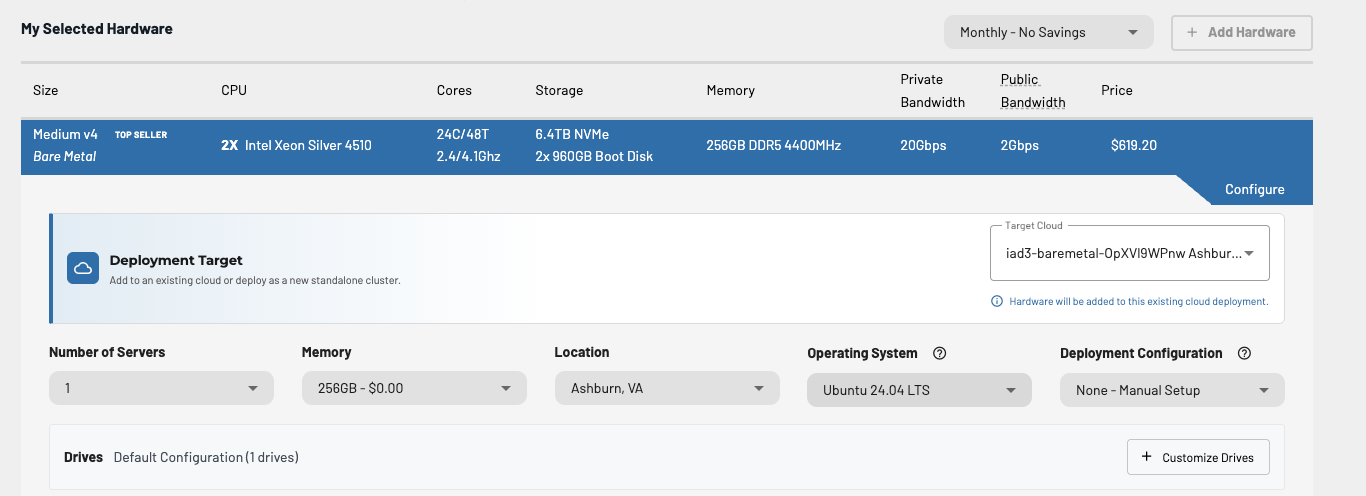
Add Hardware via Checkout Flow
- Our add hardware process has been updated so that users are now routed through the standard checkout system when adding hardware to a cloud.
- The checkout system now has a cloud selector within the hardware configuration section. This selection is pre-populated when navigating to the checkout by using the “Add Hardware” button. The selected target cloud is also indicated in the cart.
SSH Key Management
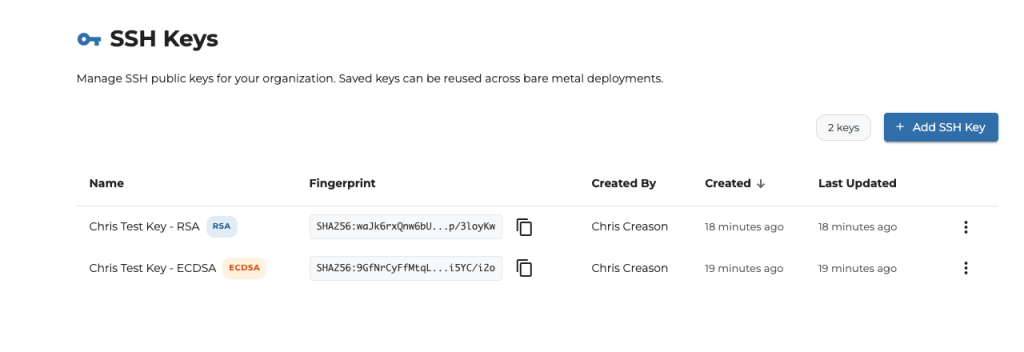
- Users can now store and manage SSH public keys from within the Central Organization Tools page.
- These keys are stored and can be reused in the checkout process during initial cloud deployments and add hardware to select a key without needing to always copy / paste a raw key value.
Ramdisk Image Support + Metadata Service
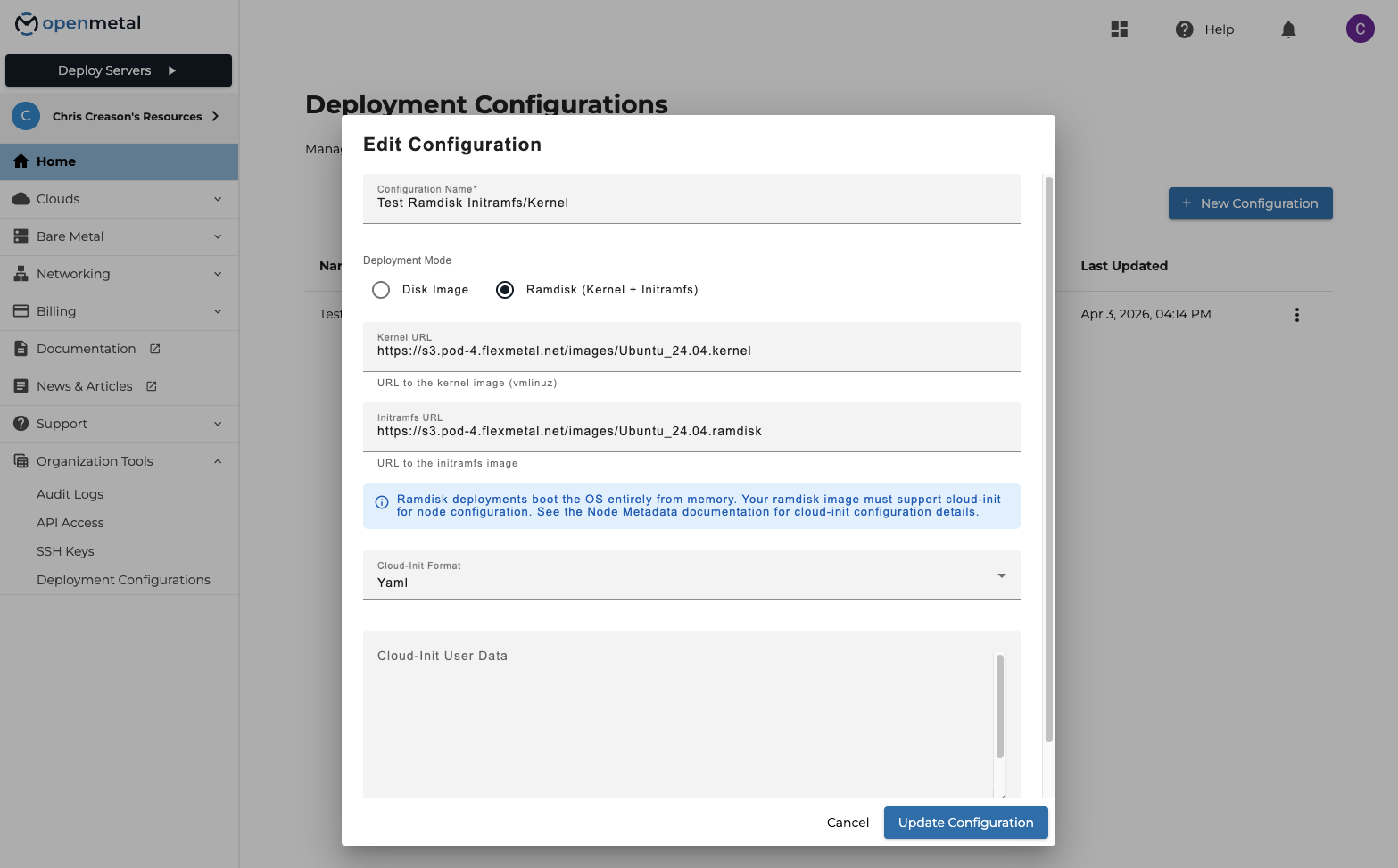
- We now support creating custom deployment configurations with the option to load the operating system into memory, rather than directly to disk, by specifying an Initramfs + Kernel URL. Ramdisk images reach out to a new internal Metadata service at 169.254.169.254 to retrieve their cloud-init configuration. This service provides the instance metadata, network configuration, and user / vendor data used by cloud-init during the provisioning process.
- More info in regards to the Metadata service can be found here: https://openmetal.io/docs/manuals/api#tag/Node-Metadata
Docs Site Search
- The OpenMetal documentation site is now searchable. It also includes an AI agent that will search the docs and try to provide an answer.
Other New Features
- Node renaming in Central — Enabled setting a node name alias in Central for improved at-a-glance identification of a node.
- Organizations Public API Docs — Documented our endpoints that are used to manage a Central organization via the Public API.
Account Security & Notifications
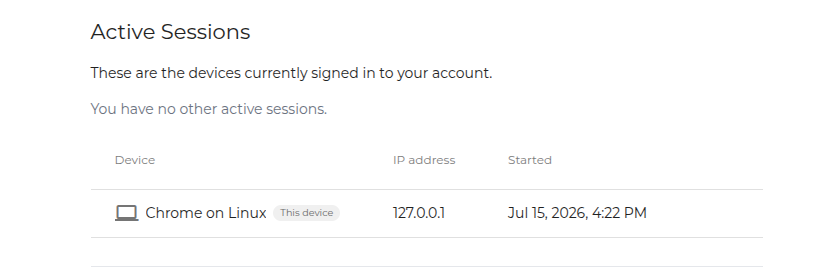
- Users can now terminate unwanted active sessions, making it easier to secure their account and remove devices they no longer recognize or trust.
- We continued preparing for our upcoming 2FA change, which will require all users to enable 2FA for added account security.
- We made optimizations to our 2FA controls component to improve reliability and streamline the user experience.
- We added a step in the welcome process that allows users to configure 2FA during sign up process.
Bug Fixes
- Bare Metal Multi Node Addition Fails Validation — We have corrected the bug that previously caused bare metal node additions to fail validation if the selected quantity was greater than 1.
- Fixed Missing Accessibility Widget on Docs Site
- Bare Metal Assets Table Stuck Loading — The bare metal assets page has been updated to correct a bug where null node power states caused the hardware assets table to fail to fully load.
What’s Next
We’re making our pricing and packaging easier to understand while leaning into our AI capabilities, giving users a new and more exciting way to experience our product. Stay tuned for more updates as we continue to innovate.
If you have questions or feedback, reach out to our support team – we’d love to hear from you.